
Week
The week view is the same capture, stacked across days. You do not plan this calendar. It is assembled from the timeline.
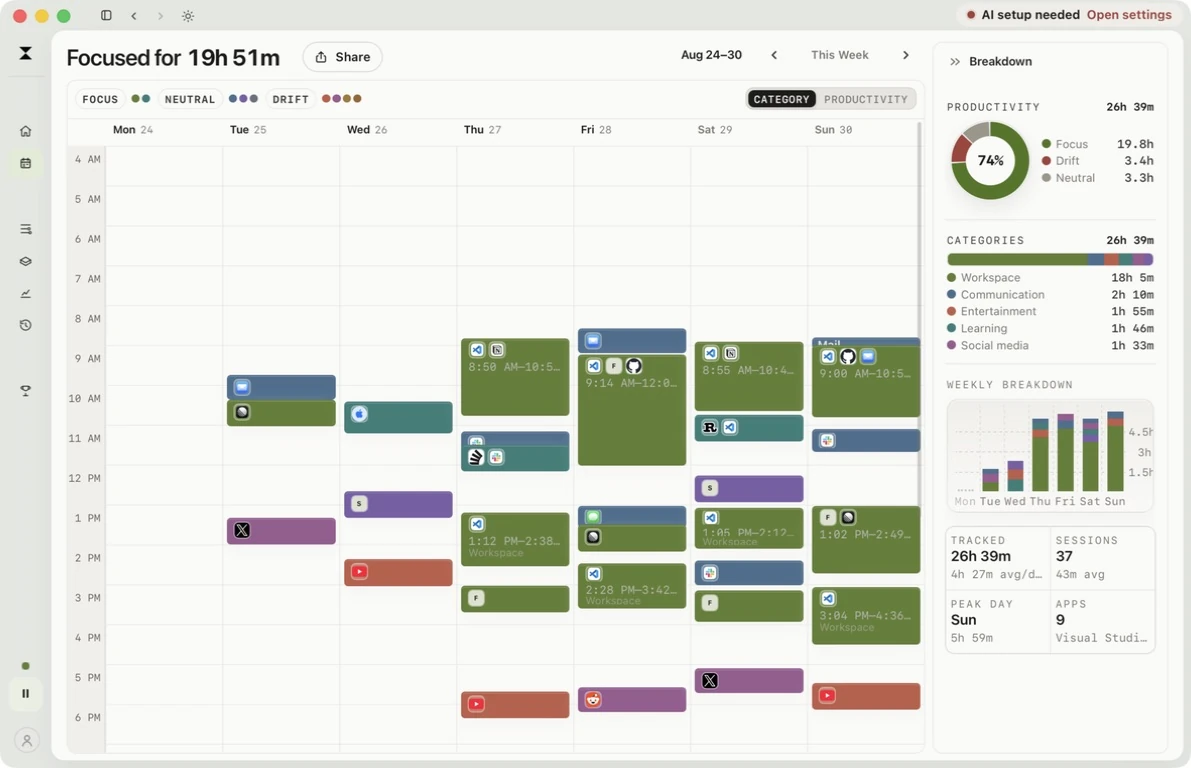
Click an activity to open its details in the right-hand panel. Use the back arrow to return to Breakdown; pointing at a block highlights it without opening a floating card.
The time zoom starts at 150% and runs from 100% to 300%. Your Week remembers its zoom separately from Your Day. Now brings you back to the current time in the current week.
Each card keeps its source apps and sites. The Breakdown rail summarizes productivity, categories, weekly totals, and the strongest day without replacing the calendar.
What the week is for
Section titled “What the week is for”Use the week when a single day is too local:
- which weekdays hold focus
- where drift clusters
- whether a late start or a fragmented afternoon is repeating
The week is still personal history, not a public report. Sharing and leaderboards use aggregate focus totals, not this calendar.