
Projects
Projects sit beside the timeline, not instead of it. Use them when the same app can mean different work: a landing-page edit in Visual Studio Code, then a side project an hour later.
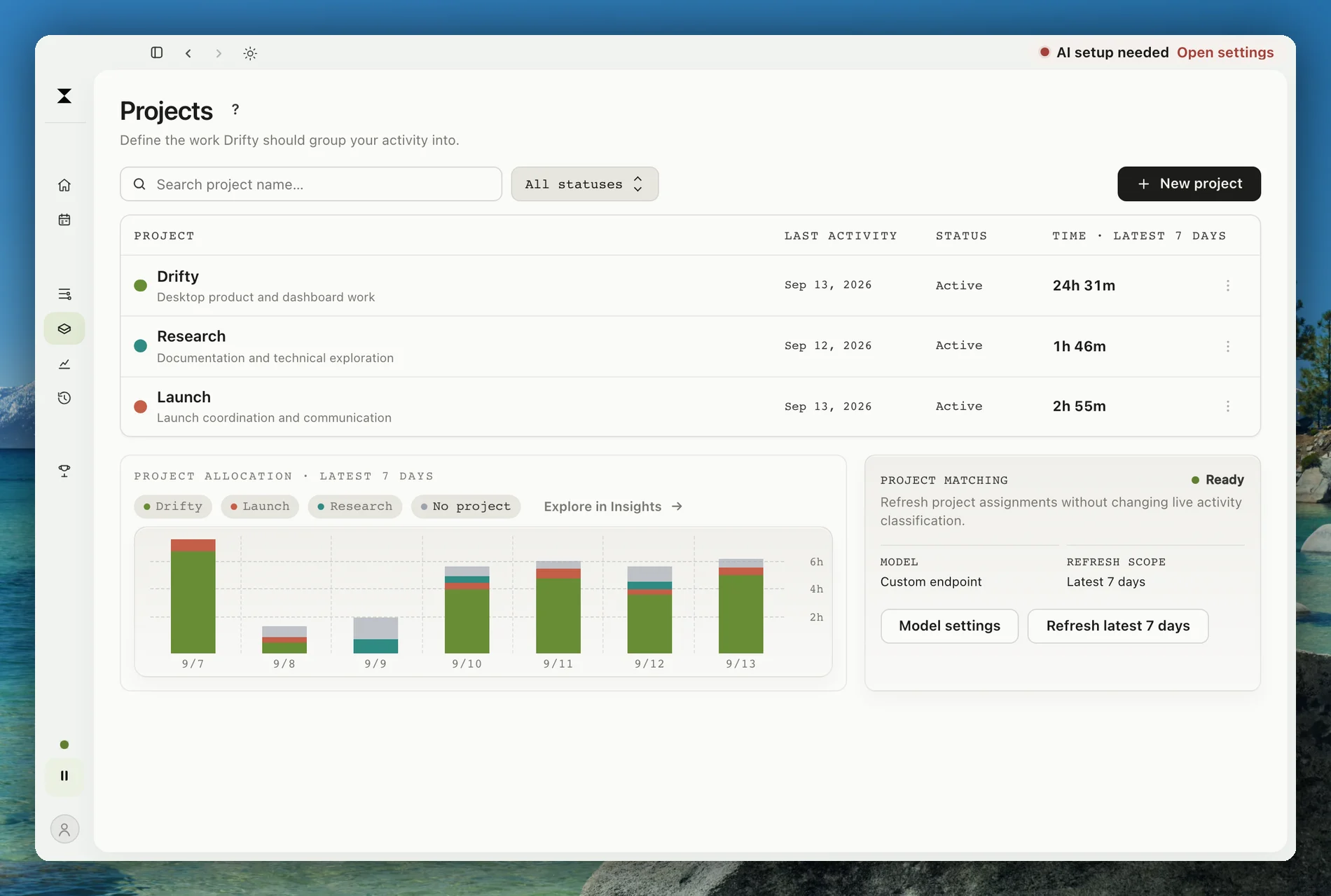
Create one with New project on the Projects page. It opens a small dialog for the project’s name, color, and description. Give the description enough of a hint that classification can recognize the work. Drifty then assigns captured blocks to that project using the same minimized activity it already uses for categories, starting with the latest 7 days. Edit opens the Projects tab of Customize categories, where you can edit, archive, or delete a project.
Each project shows its time over the latest 7 days, and the ring beside the chart shows how the time assigned to projects divides between them.
How matching works
Section titled “How matching works”Project matching is separate from live activity classification. The timeline still gets focus, neutral, or drift labels as usual. Projects assign those blocks to a named body of work.
Refresh covers the latest 7 days. Create at least one active project, then use Refresh latest 7 days. The matching model follows the AI route you already chose: Drifty Cloud, Local AI, OpenAI, Anthropic, OpenRouter, or a custom endpoint.
Projects need that AI route, which drifty calls Intelligence. Without one, the Projects tab of Customize categories is locked and a thin bar at the top of the Projects page offers to connect it. If a trial or plan ends, the bar says why new activity is no longer gathered; existing projects and the time already gathered stay.
What stays local
Section titled “What stays local”Project names and assignments live with the local timeline. Matching sends your project definitions (names, descriptions, and matching hints) to your chosen AI connection alongside minimized activity. With device sync on, project definitions and assignments also sync through your own account. They are not a public report and they are not published to a leaderboard. Corrections and cost diagnostics stay in support controls.
If a block looks assigned to the wrong project, correct the underlying classification first. Later project refreshes follow that correction.
To inspect or delete the raw local record behind a project, use History.