
Insights
Insights sits one level above the timeline. It is for recurring patterns, not for reconstructing every window.
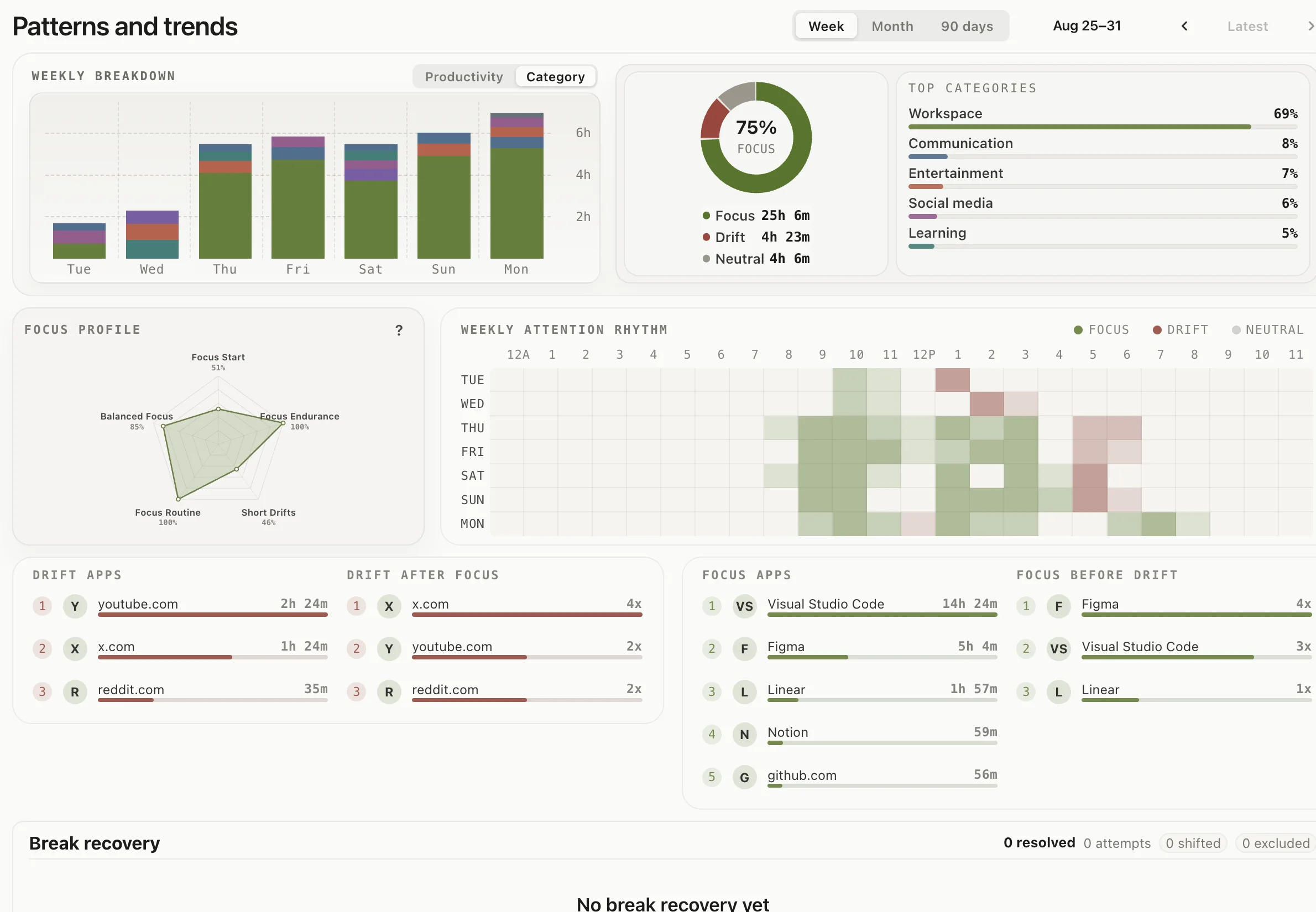
Start with the weekly attention rhythm and the app lists around it. They show when focus and drift tend to appear, which apps pull you off task, and which ones hold the work. Switch between Week, Month, and 90 days to change the window.
Use Your Day to read activities in time order and open their details. In Insights, the weekly attention rhythm shows the same pattern across the days, the weekly breakdown compares focus, drift, and neutral time, and the focus calendar shows how the recent months look at a glance. Read Insights after the timeline, not instead of it. If a pattern looks wrong, correct the underlying classification; later charts will follow the correction.