
Nudges
When drift keeps going, drifty can do two things. Both are switches in Settings → Companion & Alerts, and both start off until you turn them on:
- Drift alerts show the Companion recovery card. A system notification is a separate option next to it.
- Automatic close closes the drift browser tab or quits the drift app, then takes you back to your work. Turning it on also turns on Drift alerts, and turning Drift alerts off turns it off. A confirmation asks first because unsaved work in that tab or app may be lost.
With both off, drifty only records. The timeline still fills and nothing interrupts the desktop.
Drift alert timing in the same place sets how much drift has to continue before an alert or a close: Instant, 30 seconds (the default), 1, 2, 5, 10, 15, or 30 minutes.
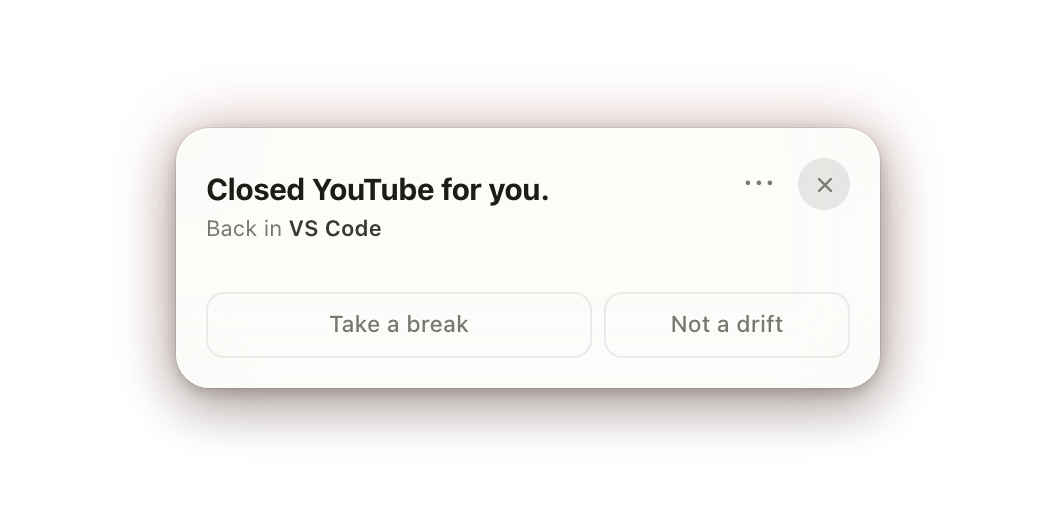
When Automatic close acts
Section titled “When Automatic close acts”Automatic close acts on drift, so something has to label the activity as drift first. Any of these will do:
- Your AI route. The classification from Cloud, Local AI, or your own key labels the page as drift. Without a working AI route, new activity stays unclassified, so an ordinary site is not closed.
- Your own choice. Marking a site or app as Drift in Classification works with or without AI.
- Short-video feeds. YouTube Shorts, Instagram Reels, and TikTok count as drift after continuous watching for at least 60 seconds and at least your Drift alert timing, even with no AI route, unless you or the AI labeled that page Focus or Neutral. Drifty 1.12.2 added this for single long sessions; earlier versions needed the viewing to be recorded in several separate pieces, so one uninterrupted session could stay open.
The tab also has to be the one in front when the timer ends. A tab in the background, or another window on top, is left alone.
What it leaves alone
Section titled “What it leaves alone”- Anything labeled Focus or Neutral, including pages you marked Not a drift.
- Communication apps and pages.
- Every other tab and window. Only the drift tab closes. On Windows, closing the only tab in a Chrome window closes that window.
- The hours you set under Quiet hours, and any time tracking is paused.
Browsers
Section titled “Browsers”Automatic close needs a browser it can control. In any other browser drifty closes nothing, and the Companion card still appears.
| Platform | Browsers |
|---|---|
| Windows | Chrome (including Beta, Dev, and Canary), Edge, Brave, Firefox (including Developer Edition), Floorp, Waterfox |
| Mac | Safari, Chrome, Edge, Arc, Brave, Chromium, Opera, Vivaldi, Whale, Aside, Firefox, Floorp, Zen |
If a tab stays open, see Automatic close did not close a tab.
Optional desktop cat
Section titled “Optional desktop cat”The local cat is off by default. Turn it on in Settings → Desktop pet or during setup. It has a Skin picker and four sizes, and sits on window chrome, the Mac menu bar, or the Windows system tray while you work. Ivory and Grey are free; the other skins and custom colors come with Pro and the 7-day trial. The row shows five skins and More, which opens the full palette and a custom hue/lightness editor. Clicking a locked skin shows it on your cat before you decide; closing the popup returns to the saved skin. A coat you already used before coats moved to Pro stays yours.
Its response follows your two switches:
| Switches | Cat behavior | Repeated drift |
|---|---|---|
| Drift alerts and Automatic close off | Sits nearby | No alerts or closing |
| Drift alerts on | Walks toward the current window | Opens the Companion recovery card |
| Automatic close on | Runs to the drift tab or app | Closes it unless you catch the cat |
Pet the cat while it runs over to keep the tab or app open. Automatic close also appears in Settings → Desktop pet; it is the same setting. The cat is optional: with it off, Automatic close still closes the drift target.